.jpeg)

- Z-Image is Alibaba's lightweight text-to-image model that delivers photorealistic results comparable to much larger models while generating images faster
- Key features include strong prompt adherence, excellent text rendering in English and Chinese, and optimized speed
- The model excels at photorealistic generation, multilingual text rendering, and scalable production workflows where speed matters
- Z-Image complements FLUX.2 Pro and Nano Banana 2 in LTX Studio, offering different strengths for various creative scenarios
Text-to-image AI models continue to evolve rapidly. Each new release brings improvements in quality, speed, or specialized capabilities. Z-Image, developed by Alibaba's Tongyi Lab, enters this landscape with a focus on efficiency—delivering photorealistic results faster than comparable models.
What makes Z-Image notable isn't just quality—it's the combination of speed and accessibility. The model produces professional results while remaining lightweight enough for broad deployment and integration.
This guide explains what Z-Image is, how it compares to other models in LTX Studio, and when to use it for your image generation needs.
{{blog-banner-static03}}
What Is Z-Image?
Z-Image is a text-to-image generation model developed by Alibaba's Tongyi Lab. The model converts text descriptions into photorealistic images, with particular strengths in prompt adherence and text rendering.
Unlike some AI image models that require extensive computational resources, Z-Image maintains high quality while remaining lightweight and efficient. This makes it suitable for production environments where speed and scalability matter as much as output quality.
The model is available as open source, enabling developers to integrate Z-Image into their own tools and workflows. For most users, however, accessing Z-Image through platforms like LTX Studio provides the easiest path to leveraging its capabilities.
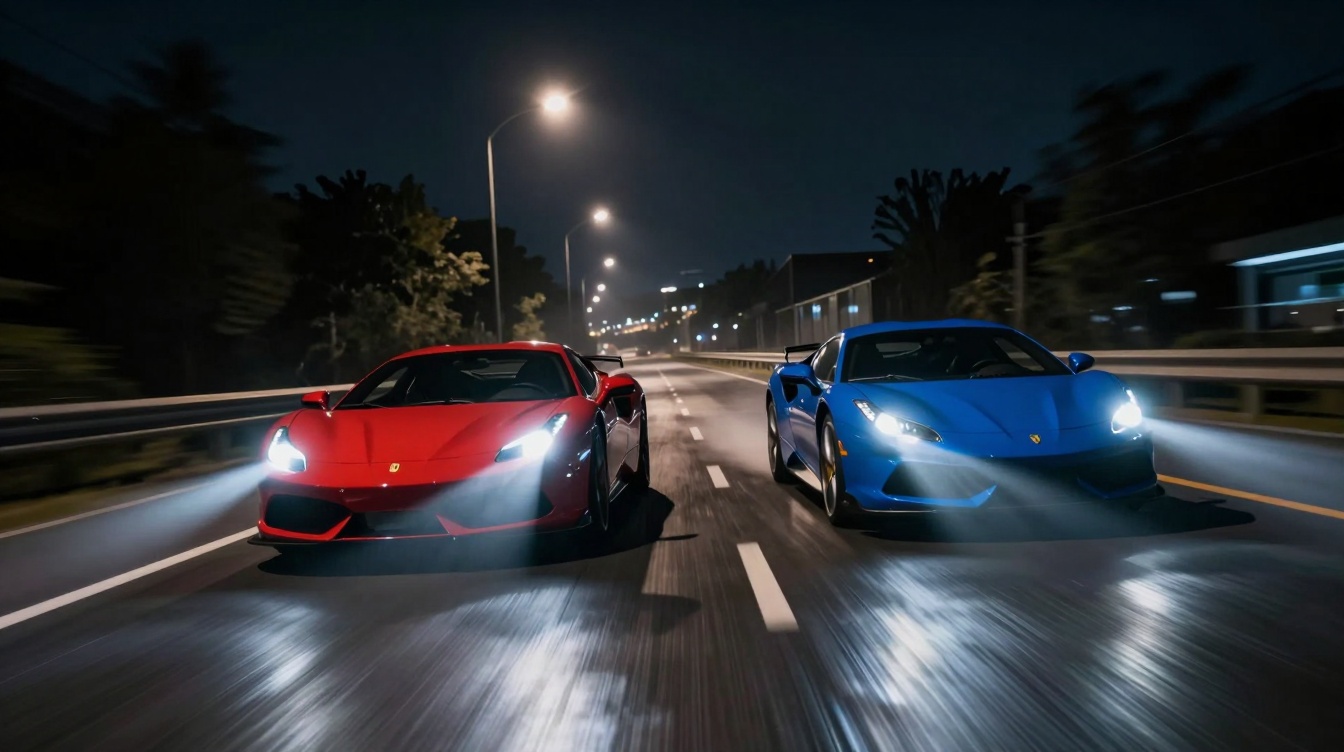
Z-Image Architecture and Design
Z-Image is built for efficiency without sacrificing quality. The architecture delivers photorealistic results comparable to much larger models while processing generations faster.
This efficiency comes from optimized training and model architecture that prioritizes practical deployment over pure parameter count. The result is a model that performs well in real-world production environments where generation speed directly impacts workflow productivity.
Z-Image Variants
The Z-Image family includes variants optimized for different priorities. Z-Image specifically targets speed, making it ideal for rapid iteration, high-volume production, and scenarios where you need to explore multiple creative directions quickly.
These variants let you choose the right balance between quality and speed for your specific use case. When final deliverable quality matters most, use the standard model. When you're exploring concepts or need high throughput, Z-Image delivers faster results.
Key Features of Z-Image
Z-Image brings several distinctive capabilities that make it valuable for specific creative workflows.
Strong Prompt Adherence
Z-Image excels at interpreting detailed prompts and generating images that match your specifications closely. This reliability matters when you need predictable results rather than creative surprises.
Describe a complex scene with multiple elements, specific lighting, and precise composition—Z-Image delivers images that reflect those details accurately. This makes it particularly useful for commercial work where exact creative specifications matter.

Excellent Text Rendering
One of Z-Image's standout features is its ability to render text clearly within generated images. Many AI models struggle with legible text, producing garbled letters or distorted typography.
Z-Image handles text rendering reliably in both English and Chinese. This makes it valuable for creating marketing materials with visible text elements, product mockups with clear labeling, signage and environmental text in scenes, and any content where readable typography matters.
For brands creating visual content for Chinese markets or bilingual campaigns, this multilingual text capability is particularly valuable.
Optimized Generation Speed
Speed matters in production workflows. Faster generation means quicker iteration, more variations tested, and shorter time from concept to final asset.
Z-Image deliver results notably faster than comparable quality models. This speed advantage compounds when you're generating dozens or hundreds of images for campaigns, testing, or content libraries.
Photorealistic Output Quality
Despite its efficiency focus, Z-Image produces photorealistic results suitable for professional use. The quality compares favorably to much larger models, making it viable for final deliverables rather than just concept exploration.
This quality-speed balance is Z-Image's primary value proposition. You're not sacrificing professional results to gain generation speed—you're getting both.
Open Source Availability
For developers and technical teams, Z-Image's open source nature enables custom integration and deployment. This matters less for most creators but becomes valuable for agencies or studios building custom workflows and automation.
Open source accessibility also means the model continues to improve through community contributions and ongoing development.
{{blog-banner-video03}}
Z-Image Prompt Guide & Examples
Getting the best results from Z-Image requires understanding how to structure effective prompts. The model's strong prompt adherence means well-written prompts produce reliably excellent outputs.
Effective Z-Image Prompt Structure
Start with your subject clearly defined: "portrait of a woman," "modern office interior," "product shot of a smartphone." Be specific about key characteristics.
Add descriptive details about lighting, composition, and atmosphere. "Soft natural window light," "minimalist composition with negative space," "warm golden hour atmosphere." These details guide the aesthetic direction.
Include style specifications if relevant. "Photorealistic," "cinematic color grading," "editorial photography style." Z-Image interprets these stylistic cues accurately.
For images requiring text, specify the text content explicitly: "wooden sign reading 'OPEN' in vintage lettering" or "product packaging with 'Premium Quality' text on front label."

Example Prompts and Use Cases
Product Photography "Professional product shot of wireless earbuds on marble surface, soft studio lighting from above, minimalist composition, white background, photorealistic"
Z-Image generates clean product imagery suitable for eCommerce or marketing materials.
Architectural Visualization
"Modern glass office building exterior, blue sky, afternoon sunlight, wide angle view, architectural photography style, crisp detail"
The model handles architectural subjects with accurate perspective and realistic materials.
Marketing and Advertising
"Smiling businesswoman in contemporary office, natural window light, professional headshot, warm tones, shallow depth of field"
For campaigns requiring diverse talent or scenarios, Z-Image generates professional imagery quickly.
Bilingual Text Elements
"Vintage cafe storefront with sign reading 'Coffee Shop' in English and '咖啡店' in Chinese characters, warm evening light, street scene"
Z-Image's multilingual text rendering makes it valuable for international campaigns.
Common Prompt Mistakes to Avoid
Vague subject descriptions produce inconsistent results. Be specific about what you're generating. Overly complex prompts with too many competing elements can confuse the model—focus on the essential details.
Forgetting to specify style leaves aesthetic choices to the model's defaults. Include style guidance for more controlled outputs. Neglecting lighting descriptions often results in flat or unrealistic lighting—always specify light quality and direction.
How to Use Z-Image in LTX Studio
LTX Studio integrates Z-Image alongside other image generation models, giving you access to different AI capabilities within one workflow.
Accessing Z-Image in Gen Space
Open LTX Studio's Gen Space from any project or start a new session. In the model dropdown menu, select Z-Image.
Enter your prompt in the text field, following the prompt structure guidelines above. Generate your image and review the results.
When to Choose Z-Image Over Other Models
LTX Studio offers multiple image generation models including FLUX.2 variants and Nano Banana 2. Each excels in different scenarios.
Choose Z-Image when you need fast generation for rapid iteration or high-volume production, photorealistic outputs for commercial use, strong text rendering in English or Chinese, reliable prompt adherence for predictable results, or efficient generation without sacrificing quality.
The model particularly shines when speed matters but you can't compromise on professional output quality.
Using Z-Image for Different Content Types
Social Media Content
Z-Image's speed makes it ideal for generating high volumes of social content. Create multiple variations quickly, test different visual approaches, and maintain consistent quality across all assets.
Product Visualization
The model's photorealistic quality and text rendering capabilities work well for product mockups, packaging concepts, and eCommerce imagery.
Marketing Campaign Assets
Generate campaign visuals rapidly using Z-Image for exploration, then refine selected concepts & for final deliverables.
Concept Development
Use Z-Image's speed advantage during the concepting phase. Generate dozens of variations to explore creative directions, then move to other models for final production if needed.

Integrating Z-Image Outputs into Video Projects
Images generated with Z-Image integrate seamlessly into LTX Studio's video workflow. Use Z-Image to create background environments for video scenes, generate product shots that appear in video content, develop character reference images, or build concept boards for storyboarding.
The images become elements you can reference across your entire project, ensuring visual consistency from static assets through final video output.
Z-Image vs FLUX.2 Pro vs Nano Banana 2
LTX Studio offers multiple image generation models. Understanding their different strengths helps you choose the right tool for each task.
When to Use Each Model
Use Z-Image when:
- Speed is critical for your workflow
- You need photorealistic results quickly
- Text rendering in Chinese matters
- You're generating high volumes of content
- Budget efficiency is a priority
Use FLUX.2 Pro when:
- Brand color accuracy is non-negotiable
- You need maximum quality for final deliverables
- Typography-heavy designs require perfect text rendering
- You're producing at scale with exact specifications
Use Nano Banana 2 when:
- You need precision editing of existing images
- Multimodal control (text + visual references) is important
- Complex scenes require sophisticated reasoning
- You're refining nearly perfect images
The most effective workflows often combine models—using Z-Image for rapid concepting, FLUX.2 for final production, and Nano Banana 2 for precision refinements.

Conclusion
Z-Image brings valuable capabilities to LTX Studio's image generation toolkit. Its combination of speed, quality, and bilingual text rendering makes it particularly useful for fast-paced production environments and multilingual campaigns.
The model doesn't replace other options in LTX Studio—it complements them. Use Z-Image when efficiency and photorealism matter most. Switch to FLUX.2 when you need brand-specific controls or maximum quality. Use Nano Banana Pro for precision editing.
Having multiple models available means you can choose the right tool for each creative challenge. And because all these models live within LTX Studio's unified workspace, switching between them doesn't disrupt your workflow.
Ready to experience Z-Image's speed and quality? Start generating with LTX Studio's AI image tools and discover how the right model choice accelerates your creative process.


Maximize your creative potential with AI-powered tools
Maximize your creative potential with AI-powered tools





.jpeg&description=Discover Z-Image, Alibaba's fast text-to-image AI model. Learn how to use Z-Image in LTX Studio for photorealistic generation with bilingual text support.)




.png)



