
- Reference-based motion transfer inside Gen Space
- Upload a video and transfer full-body movement
- Available in Kling 2.6 Pro and Kling 2.6 Standard
- Two control modes: Pose from Video and Pose from Image
From motion interpretation to motion control
AI video has advanced rapidly, but motion has remained one of the biggest challenges. Until now, creators could describe movement in a prompt and hope the model interpreted it correctly. The result was often unpredictable gestures, inconsistent performance, and multiple regeneration cycles just to get something usable.
With Motion Control by Kling, now available inside Gen Space in LTX Studio, motion is no longer left to interpretation. It's controlled. Instead of typing "make her dance," you define the exact dance. Instead of hoping for natural gestures, you transfer real ones. The output preserves your character's identity while accurately replicating the intended performance from a reference video.
Define exactly how your characters move
Motion Control introduces advanced, reference-based motion transfer into LTX Studio. Upload a reference video and transfer its movement — full-body motion, gestures, pacing, and dynamics — directly onto your own character or subject. The character keeps its look. The motion comes from the reference.
Motion Control is available in: Kling 2.6 Pro and Kling 2.6 Standard — all directly inside Gen Space.
For creative teams working on branded content, storytelling, product demos, or campaign assets, this shifts AI video from exploratory generation to controllable production.
Why this matters for creative teams
Eliminate unpredictable motion
Text-based prompts leave room for interpretation. Motion Control replaces guesswork with precision.
Reduce iteration cycles
Reference-driven movement significantly cuts down regeneration attempts. Teams reach production-ready results faster, with fewer retries.
Maintain consistency at scale
The same motion reference can be reused across campaigns, characters, and formats. That means consistent performance language across branded content — even at volume.
Unlock complex performance
Dance sequences. Sports movements. Expressive gestures. Character-driven storytelling. Complex physical performance can now be transferred directly from real-world footage into AI-generated scenes.
For enterprise teams, agencies, and in-house creative departments, this changes the role of AI video, from experimental output to reliable production tool.
How Motion Control Works in Gen Space
Using Motion Control inside LTX Studio is simple:
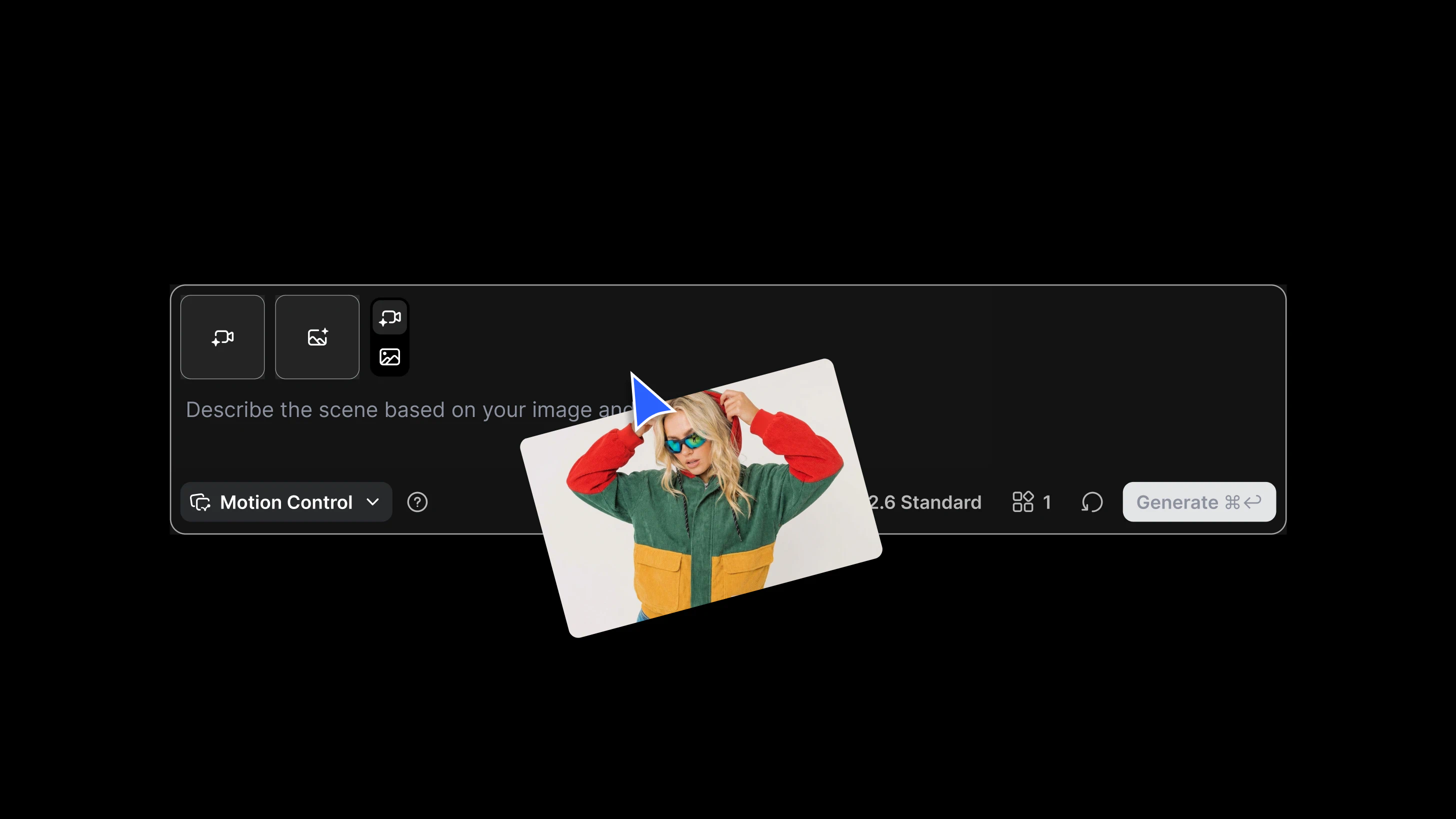
- Open Gen Space and select Motion Control
- Upload an image reference
- Upload a reference video with the desired movement
- Choose your model (Kling 2.6 Pro, Kling 2.6 Standard)
- Select your orientation mode:
Pose from Video
The character follows both the movement and spatial direction of the reference video. Best for complex or full-body motion. Max reference length: 30 seconds.
Pose from Image
The character maintains the original angle from the image while transferring motion. Best for preserving visual consistency. Max reference length: 10 seconds.
This flexibility allows teams to prioritize either dynamic performance accuracy or strict brand alignment — depending on the creative goal.
Full performance control inside Gen Space
With Kling models and Motion Control now integrated into LTX Studio, creators move beyond prompt-based motion generation. They gain direct control over performance. Motion is no longer guessed, it's defined.
FAQs
What is Motion Control?
Motion Control is a feature now available in LTX Studio's Gen Space that lets you define exactly how characters move in AI-generated video. Instead of describing motion in a text prompt and hoping for the best, you upload a reference video and transfer its movement directly onto your character or subject.
What problem does it solve?
Traditional text-based prompting leaves motion open to interpretation — resulting in unpredictable gestures, inconsistent performance, and multiple regeneration cycles. Motion Control replaces guesswork with precision by using reference-based motion transfer.
What types of motion can I transfer?
You can transfer full-body motion, gestures, pacing, and dynamics, including dance sequences, sports movements, expressive gestures, and character-driven storytelling. Any movement captured in a real-world reference video can be applied to your AI-generated character.


Maximize your creative potential with AI-powered tools
Maximize your creative potential with AI-powered tools






.png)



